Show your card where people already are
Each of these leads to your card in one click. The link’s preview and the badge show what the server sees. The widget checks the card in the reader’s browser, right where it is shown.
The link
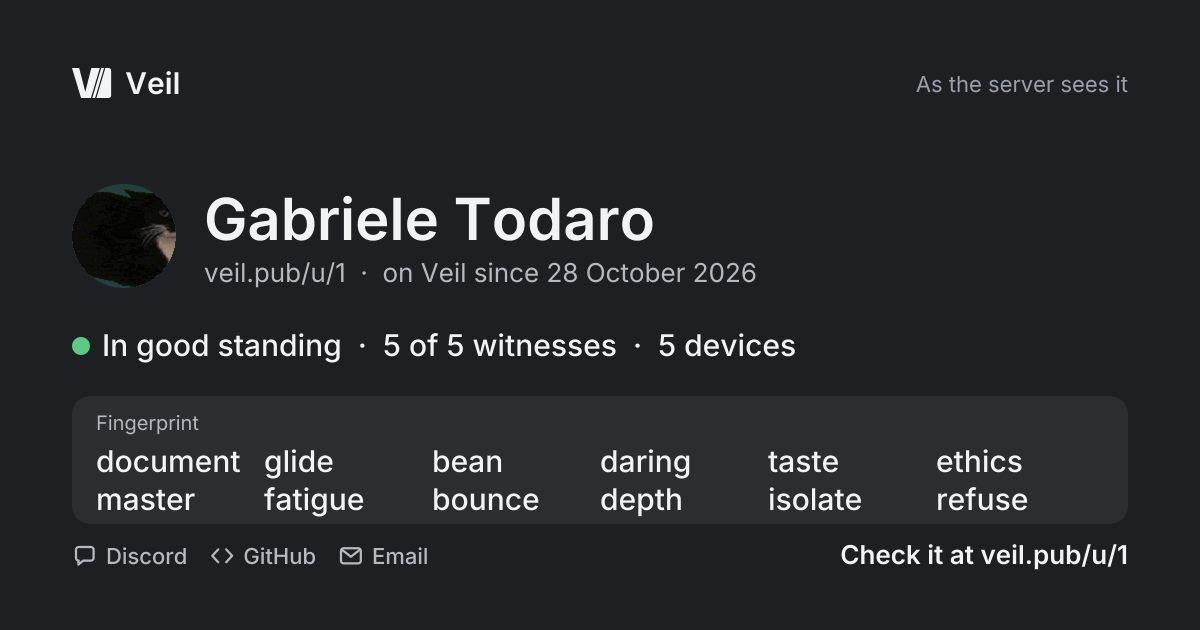
Paste the card’s address in Discord, X, Telegram, WhatsApp, Slack or Mastodon and they show this preview. It shows what the server sees, and says that the card is checked at the link.
It also works in a bio, an email signature or a profile’s website field.
The preview shows the name with its number, the status, the witnesses, the 12 words and the linked platforms by name, never the accounts. Sites that read oEmbed, like WordPress and Notion, show the widget instead.
A badge
For a README, a forum signature or a profile. It is a small image of the card’s status that links to the card, and it updates within five minutes when the card changes.
Markdown
For a README on GitHub, GitLab or Codeberg, or any page that reads Markdown.
BBCode
For a forum signature: phpBB, vBulletin, XenForo and most other forums take this.
HTML
For a website, a blog or a profile page that accepts HTML.

The widget
For your site’s about page or a team page. It shows the card in a frame, and each visitor’s browser checks it against the public log and its witnesses. The only thing to click is the link to the card. These frames are the only Veil pages other sites may show.
As a frame
In your website’s HTML, where the card should show, such as an about page or a team page.
With one line of script
In your website’s HTML as well. The div goes where the card should show; the script line goes once per page.
The script only turns each div into the frame. It sets no cookie and tracks nobody. A site with a Content-Security-Policy needs to allow frame-src from the directory, and script-src for the script line.